Use Activity Monitor Tips
Use Activity Monitor Tips
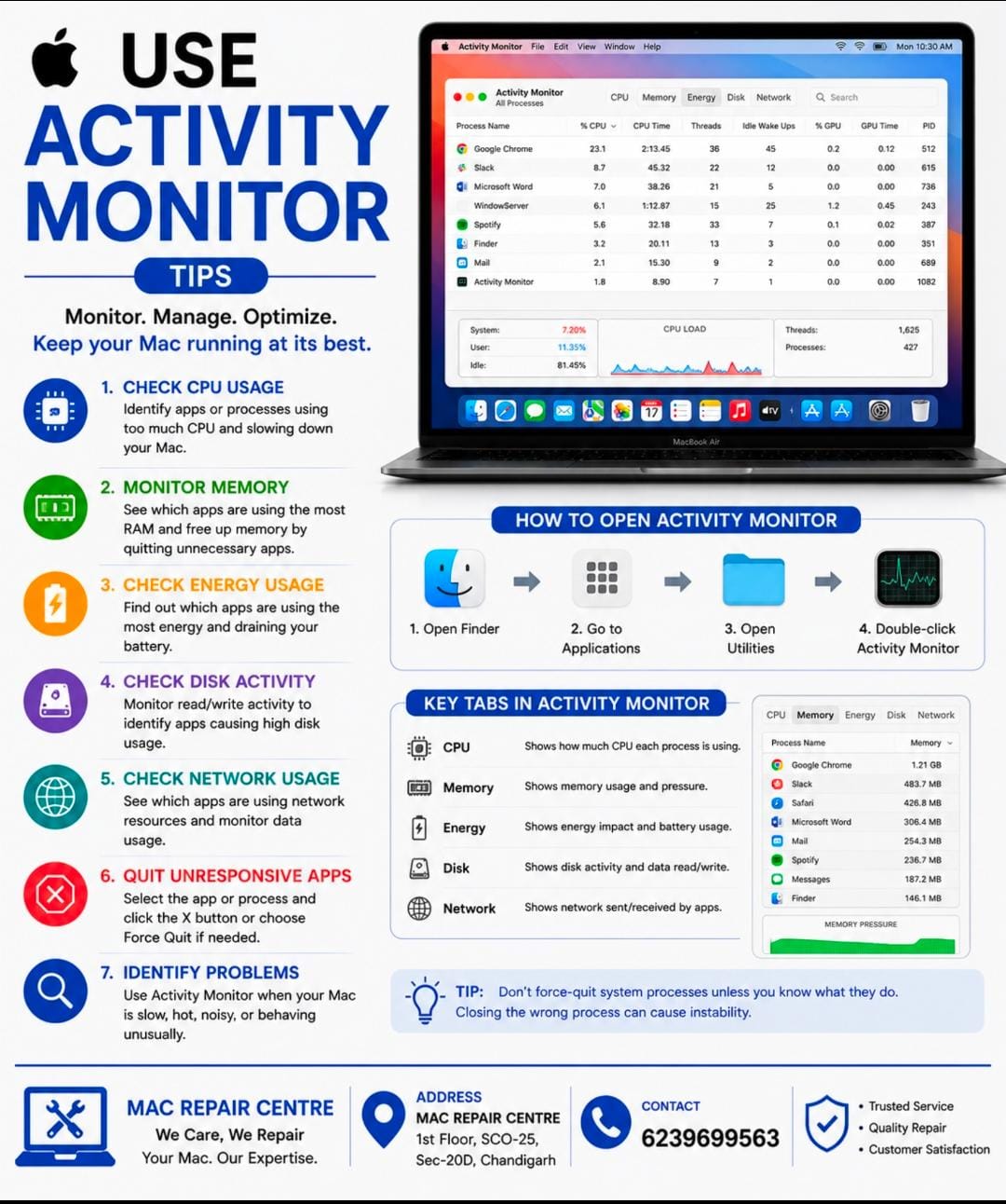
Activity Monitor is a useful built – in Mac tool for checking CPU , memory , energy , disk , and network usage .
Check CPU Usage : Find apps using too much processor power .
Monitor Memory : Identify apps consuming excessive RAM .
Check Disk Activity : Monitor heavy read / write activity .
Check Network Usage : See which apps are using network resources .
Quit Unresponsive Apps : Select an app and use Force Quit when necessary .
Identify Problems : Use Activity Monitor when your Mac becomes slow , hot , or unusually noisy .
Tip = Don’t force – quit system processes unless you know what they do , closing the wrong process can cause instability .