MacBook SSD Upgrade : Benefits & Process Guide
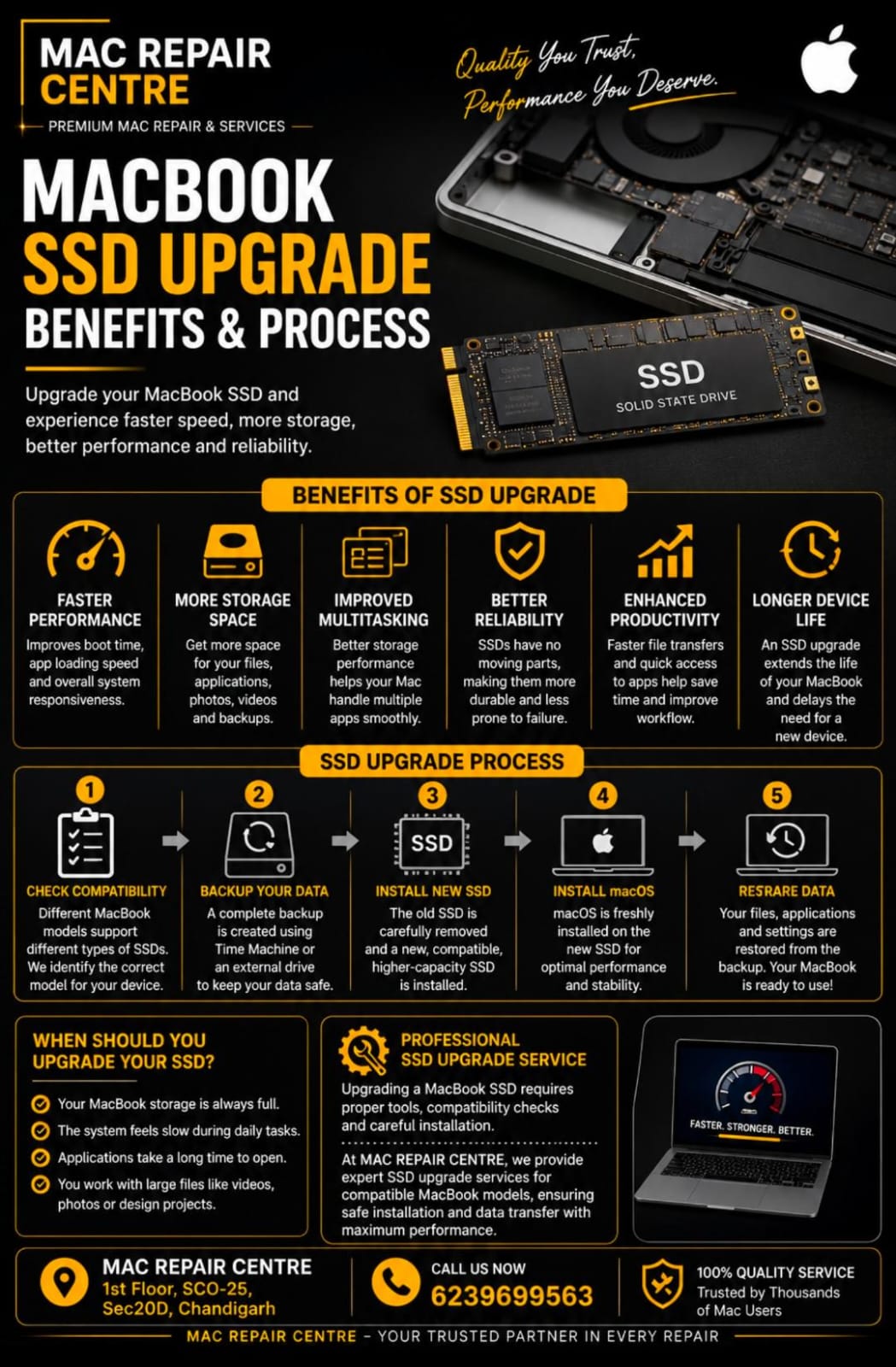
MacBook SSD Upgrade : Benefits & Process
A slow MacBook can affect productivity and overall user experience . One of the most effective ways to improve performance is by upgrading the SSD ( Solid State Drive ) . An SSD upgrade provides faster speed, more storage space , and better reliability , making your MacBook feel like new again .
What Is an SSD Upgrade?
An SSD upgrade means replacing your existing storage drive with a higher – capacity or faster solid – state drive . This is especially useful for users who need more space for files , photos videos , applications and professional work .
Benefits of Upgrading Your MacBook SSD
1. Faster Performance= A large and faster SSD improves boot times , application loading speed , and overall system responsiveness .
2. More Storage Space=Upgrading the SSD gives you additional space for documents , media , files , software , and backups without worrying about low storage warnings .
3. Improved Multitasking = With better storage performance , your MacBook can handle multiple applications more efficiently .
4. Better Reliability= SSD have no moving parts , making them more durable and less likely to fail compared to traditional hard drives .
5. Enhanced Productivity= Faster file transfers and quicker applications access help save time and improve workflow .
6. Longer Device Life= An SSD upgrade can extend the useful life of your MacBook and delay the need for purchasing a new device .
MacBook SSD Upgrade Process
1. Check Compatibility= Different MacBook models support different types of SSD . It is important to identify the correct model before upgrading .
2. Backup Your Data= Always create a complete backup using Time Machine or an external drive before starting the upgrades .
3. Install the New SSD= The old SSD is removed and replaced with a compatible , higher-capacity SSD .
4. Install macOS= After installation , macOS is reinstalled on the new drive .
5. Restore Data= Your files , applications , and settings are transferred back from the backup .
When Should You Upgrade Your SSD?
You should consider an SSD upgrade it :
• Your MacBook storage is always full .
• The system feels slow during daily tasks .
• Applications take a long time to open .
• Your work with large files such as videos , photos , or design projects .
Professional SSD Upgrade Service
Upgrading a MacBook SSD requires proper tools , compatibility checks , and careful installation . Professional technicians can ensure safe installation and data transfer without risk .
At Mac Repair Centre , we provide expert SSD upgrade services for compatible MacBook models , helping users improve speed , storage capacity , and overall performance .
Conclusion
A MacBook SSD upgrade is one of the best ways to enhance performance , increase storage , and extend the life of your device . Whether you need more space or faster speed , upgrading your SSD can provide a noticeable improvement in everyday use .