MacBook Speaker Not Working : Causes and Solutions Guide
MacBook Speaker Not Working: Causes and Solutions
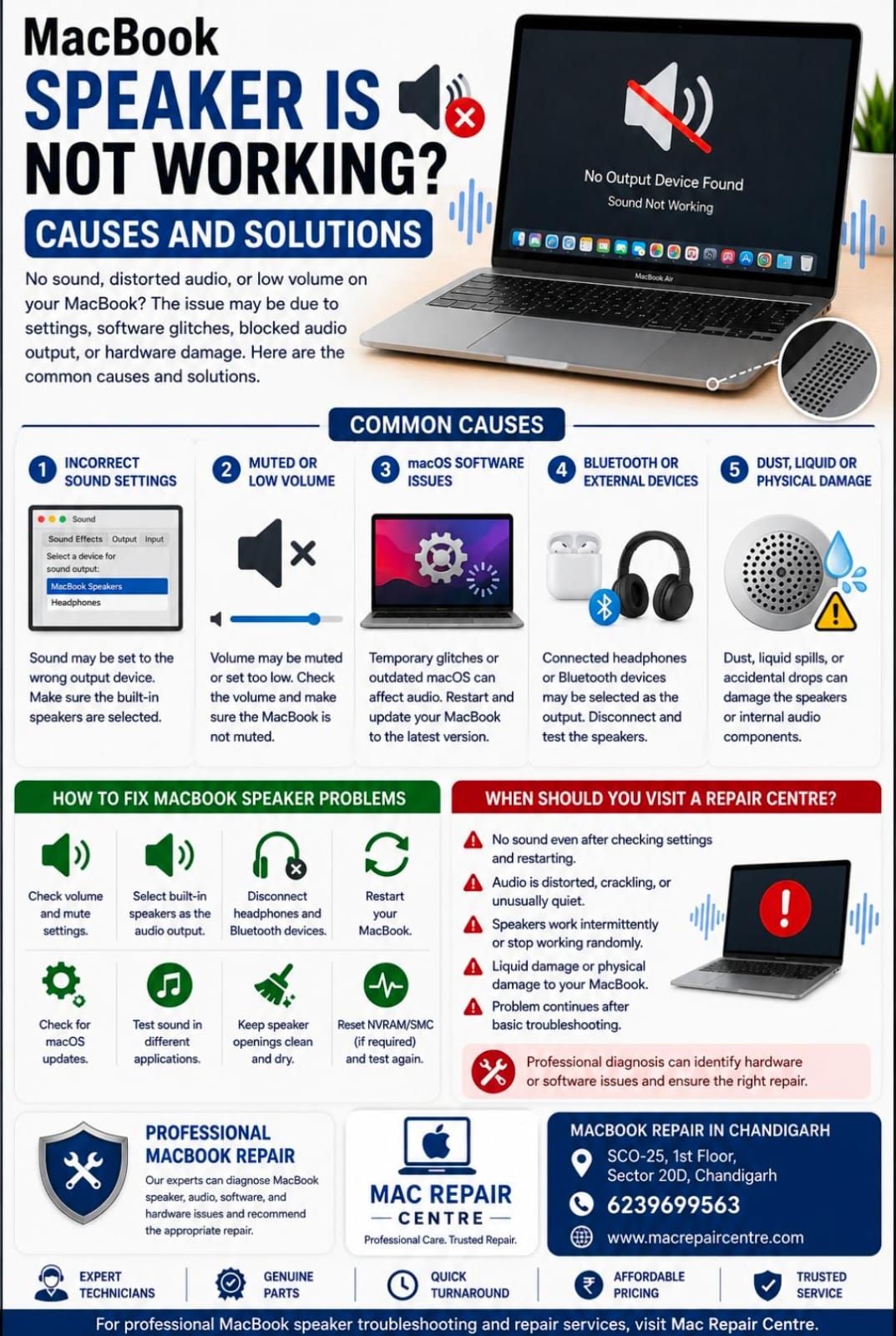
MacBook speakers are designed to provide clear sound for music, videos, calls, and everyday use. If your MacBook suddenly has no sound, produces distorted audio, or the speakers work intermittently, the problem may be related to macOS settings, software, blocked audio output, or hardware damage.
Common Causes of MacBook Speaker Problems
1. Incorrect Sound Settings
Sometimes the MacBook is simply sending audio to the wrong output device. Check the sound settings and make sure the built-in speakers are selected as the output device.
2. Muted or Low Volume
The volume may be muted or set too low. Check the volume controls and make sure the MacBook is not muted.
3. macOS Software Issues
Temporary macOS glitches or outdated system software can affect audio performance. Restarting the MacBook and installing available macOS updates may help resolve software-related problems.
4. Bluetooth or External Audio Devices
If headphones, Bluetooth speakers, or another audio device is connected, your MacBook may send sound to that device instead of the built-in speakers. Disconnect external audio devices and test the speakers again.
5. Dust, Liquid, or Physical Damage
Dust and debris can affect speaker performance, while liquid spills or accidental drops may damage the speakers or internal audio components.
How to Fix MacBook Speaker Problems
Check the volume and mute settings.
Select the built-in speakers as the audio output.
Disconnect headphones and Bluetooth audio devices.
Restart your MacBook.
Check for macOS updates.
Test sound in different applications.
Keep the speaker openings clean and dry.
When Should You Visit a Repair Centre?
If your MacBook has no sound even after checking the settings and restarting, or if the audio is distorted, crackling, unusually quiet, or working intermittently, professional diagnosis may be required.
At Mac Repair Centre, our technicians can diagnose MacBook speaker, audio, software, and hardware-related problems and recommend the appropriate repair.
MacBook Repair in Chandigarh
Mac Repair Centre
Address: SCO-25, 1st Floor, Sector 20D, Chandigarh
Contact: 6239699563
For professional MacBook speaker troubleshooting and repair services, visit Mac Repair Centre.