MacBook Graphic Issues Causes and Solutions Guide
MacBook Graphics Issues: Causes and Solutions
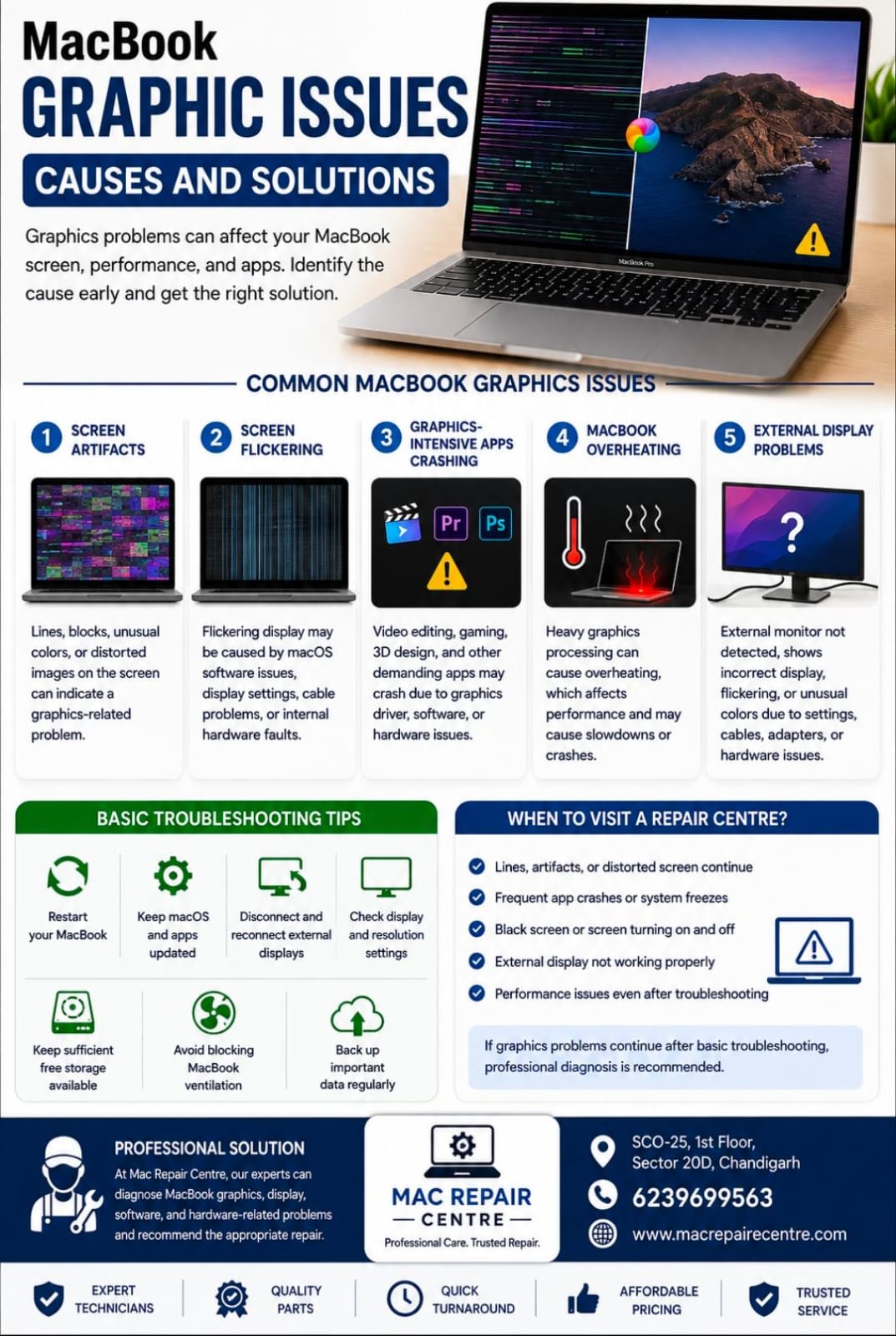
Graphics problems on a MacBook can affect the display, video playback, applications, and overall performance. Issues such as screen artifacts, flickering, freezing, or unexpected crashes may be caused by software or hardware problems.
Common MacBook Graphics Issues
1. Screen Artifacts
Lines, blocks, unusual colors, or distorted images on the screen can indicate a graphics-related problem.
2. Screen Flickering
A flickering display may be caused by macOS software issues, display settings, cable problems, or internal hardware faults.
3. Graphics-Intensive Apps Crashing
Video editing, gaming, 3D design, and other demanding applications may crash when there are graphics driver, software, or hardware issues.
4. MacBook Overheating
Heavy graphics processing can make your MacBook generate more heat. Excessive heat may affect performance and cause applications to slow down or crash.
5. External Display Problems
If an external monitor is not detected, displays incorrectly, or shows flickering and unusual colors, the issue may be related to settings, cables, adapters, or hardware.
Basic Troubleshooting Tips
- Restart your MacBook.
- Keep macOS and applications updated.
- Disconnect and reconnect external displays.
- Check display and resolution settings.
- Keep sufficient free storage available.
- Avoid blocking the MacBook's ventilation.
- Back up important data regularly.
When Should You Visit a Repair Centre?
If graphics problems continue after basic troubleshooting, professional diagnosis is recommended. Persistent artifacts, frequent crashes, black screens, or display problems may require hardware inspection.
At Mac Repair Centre, our technicians can diagnose MacBook graphics, display, software, and hardware-related problems and recommend the appropriate repair.
MacBook Repair in Chandigarh
Mac Repair Centre
Address: SCO-25, 1st Floor, Sector 20D, Chandigarh
Contact: 6239699563
For professional MacBook graphics and display troubleshooting, visit Mac Repair Centre.