How to Keep Your MacBook Clean And Dust - Free Guide
How to Keep Your MacBook Clean and Dust-Free
Keeping your MacBook clean is important for better performance, cooling, and long-term reliability. Dust, dirt, and debris can build up around the keyboard, ports, speakers, and ventilation areas over time.
Here are some simple tips to keep your MacBook clean and dust-free.
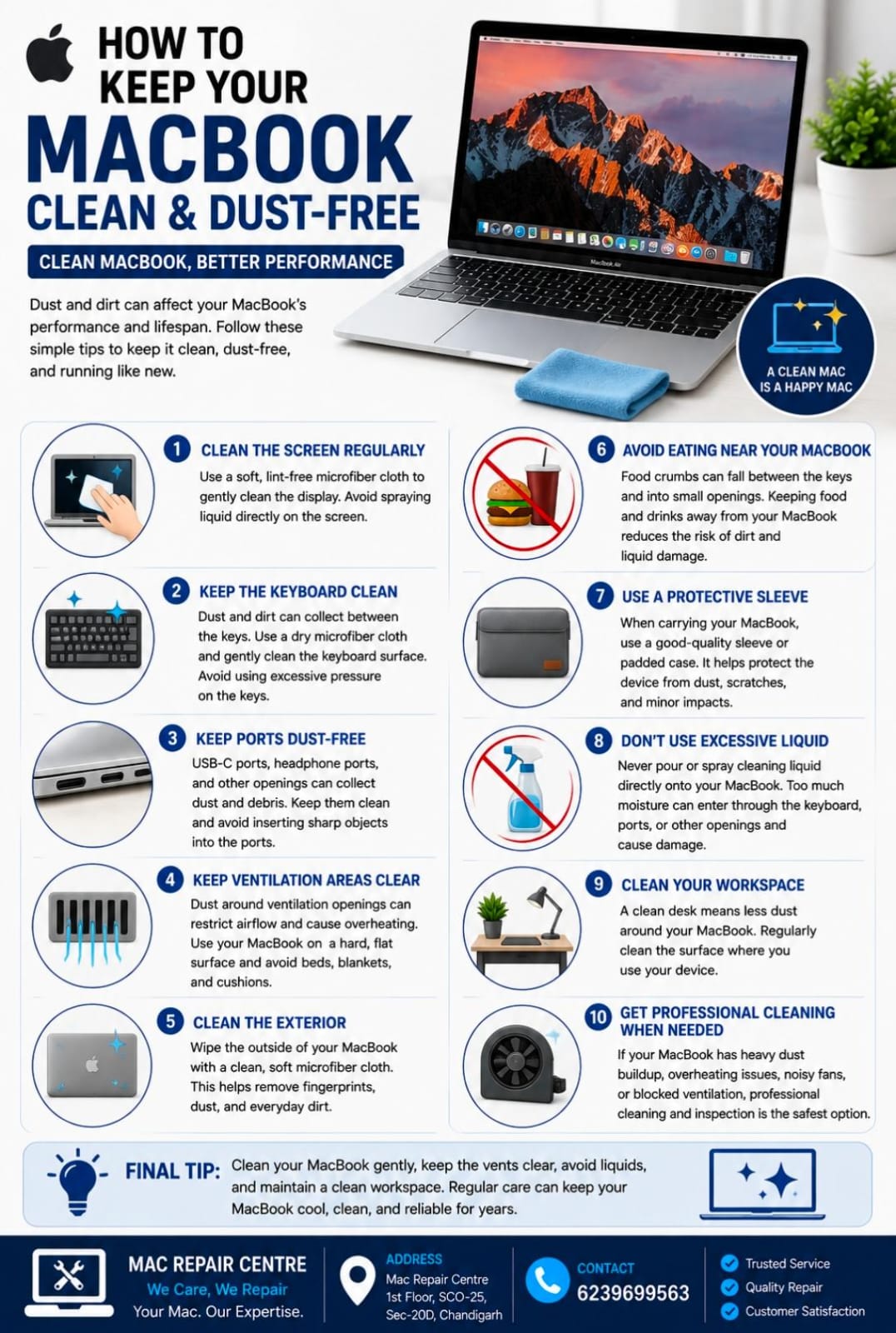
1. Clean the Screen Regularly
Use a soft, lint-free microfiber cloth to gently clean the display. Avoid spraying liquid directly onto the screen.
2. Keep the Keyboard Clean
Dust and dirt can collect between the keys. Use a dry microfiber cloth and gently clean the keyboard surface.
Avoid using excessive pressure on the keys.
3. Keep Ports Free from Dust
USB-C ports, headphone ports, and other openings can collect dust and debris. Keep them clean and avoid inserting sharp objects into the ports.
4. Keep Ventilation Areas Clear
Dust around ventilation openings can restrict airflow and contribute to overheating.
Use your MacBook on a hard, flat surface and avoid beds, blankets, and cushions.
5. Clean the Exterior
Wipe the outside of your MacBook with a clean, soft microfiber cloth. This helps remove fingerprints, dust, and everyday dirt.
6. Avoid Eating Near Your MacBook
Food crumbs can fall between the keys and into small openings. Keeping food and drinks away from your MacBook can reduce the risk of dirt and liquid damage.
7. Use a Protective Sleeve
When carrying your MacBook, use a good-quality sleeve or padded case. It helps protect the device from dust, scratches, and minor impacts.
8. Don't Use Excessive Liquid
Never pour or spray cleaning liquid directly onto your MacBook. Too much moisture can enter through the keyboard, ports, or other openings and cause damage.
9. Clean Your Workspace
A clean desk means less dust around your MacBook. Regularly clean the surface where you use your device.
10. Get Professional Cleaning When Needed
If your MacBook has heavy dust buildup, overheating issues, noisy fans, or blocked ventilation, professional cleaning and inspection may be safer than opening the device yourself.
Final Tip
Clean your MacBook gently, keep the vents clear, avoid liquids, and maintain a clean workspace. Regular cleaning can help your MacBook stay cool, clean, and reliable.
Mac Repair Centre
1st Floor, SCO-25, Sec-20D, Chandigarh
📞 6239699563